
<h1>Home Assistant Cloud Renamed to Link: What It Means for Your Smart Home</h1>
<p>The Verge recently reported that Home Assistant has rebranded its cloud offering from “Home Assistant Cloud” to simply “Link.” This change is more than a naming tweak; it signals a shift in how the platform positions its remote‑access and subscription services. In this guide we break down what Link is, why the rename happened, and how you can make the most of it today.</p>
<h2>Understanding the Rebrand: From Cloud to Link</p>
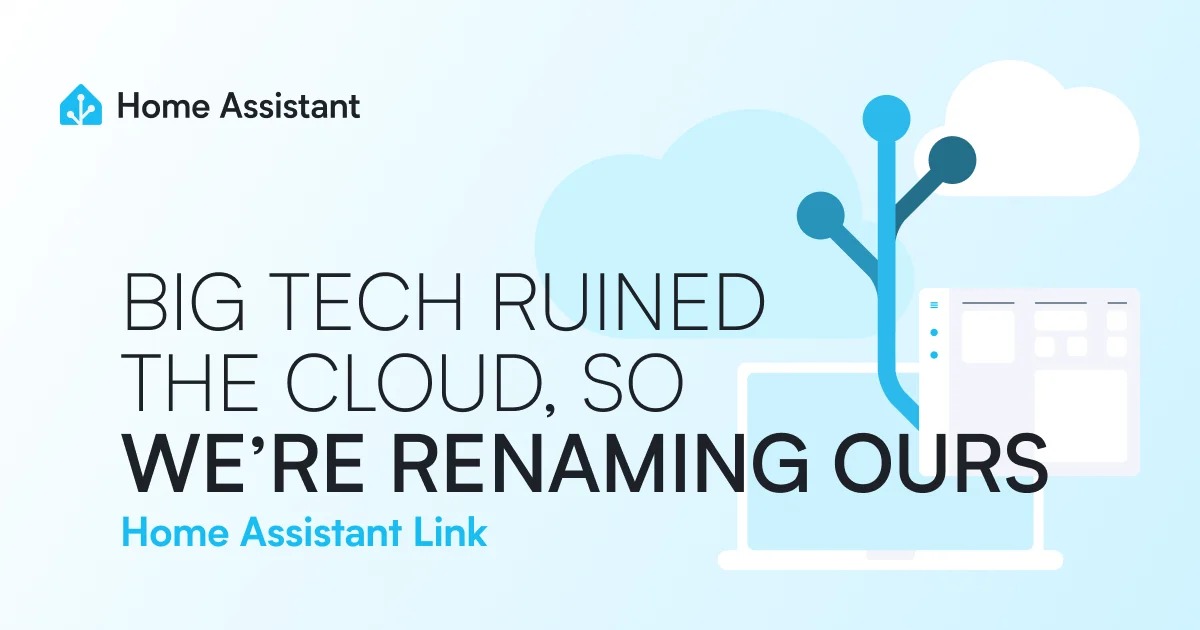
<p>The original Home Assistant Cloud service provided remote UI access, <a href="/article/breaking-the-inner-robot-from-automatic-living-to-conscious-living" title="Breaking the "Inner Robot": From Automatic Living to Conscious Living" class="internal-link">automatic</a> backups, and a companion mobile app for a monthly fee. By calling it “Link,” the developers aim to emphasize the service’s role as a <b>bridge</b> between your local Home Assistant instance and the outside world. The new name also avoids confusion with the many “cloud” integrations already available in the ecosystem.</p>
<p><figure class="my-8 overflow-hidden rounded-3xl shadow-xl">
<img src="https://www.home-assistant.io/images/blog/2026-10-big-tech-ruined-the-cloud-so-were-renaming-ours/art.webp" alt="Home Assistant Link" class="w-full h-[400px] object-cover" />
</figure></p>
<h3>Why the Name Change?</p>
<p>Community feedback indicated that users associated “Cloud” with data storage and feared privacy implications. The term “Link” conveys a lighter, more transient connection—think of a secure tunnel rather than a permanent data repository. This subtle shift helps reassure privacy‑conscious users while still highlighting the convenience of remote access.</p>
Advertisement
Loading partner content...
<h3>What Is Link Actually Offering?</p>
<p>Link continues to provide three core features:</p>
<ol>
<li>Remote access to your Home Assistant UI via a secure subdomain (e.g., <b>yourhome.link</b>).</li>
<li>Automated, encrypted backups stored on Home Assistant’s servers.</li>
<li>Companion mobile app push notifications and location‑based triggers.</li>
</ol>
<p>Under the hood, the infrastructure remains the same; only the branding and some user‑facing documentation have changed.</p>
<h2>The Impact on Existing Users</p>
<p>If you were already subscribed to Home Assistant Cloud, your subscription automatically migrated to Link with no change in price or features. The only visible difference is the new logo and updated documentation links. No action is required for basic functionality, but reviewing your account settings is recommended to ensure everything is linked correctly.</p>
<h3>Migration Steps: Moving from Cloud to Link</p>
<p>For those who prefer a manual approach or want to verify the migration, follow these steps:</p>
<ol>
<li>Log in to <a rel="nofollow noopener noreferrer" href="https://www.home-assistant.io/link/" rel="nofollow noopener noreferrer">the Link portal</a> using your existing Home Assistant Cloud credentials.</li>
<li>Confirm that your subscription status shows “Active” under the Link tab.</li>
<li>Update any automation or scripts that reference the old cloud URL to the new <code>*.link</code> subdomain.</li>
<li>Test remote access from a mobile network to ensure the tunnel works.</li>
<li>Optional: Enable two‑factor authentication for added security.</li>
</ol>
<p><figure class="my-8 overflow-hidden rounded-3xl shadow-xl">
<img src="https://images.unsplash.com/photo-1614064548237-096f735f344f?crop=entropy&cs=tinysrgb&fit=max&fm=jpg&ixid=M3w4NjI1Nzh8MHwxfHNlYXJjaHwxfHxzZWN1cmUlMjBjb25uZWN0aW9uJTIwaWxsdXN0cmF0aW9ufGVufDB8MHx8fDE3OTEwNDAzMzF8MA&ixlib=rb-4.1.0&q=80&w=1080" alt="secure connection illustration" class="w-full h-[400px] object-cover" />
</figure></p>
Advertisement
Loading partner content...
<h2>Comparing Link with Other Cloud Services</p>
<p>Understanding how Link stacks up against alternatives helps you decide if it’s the right fit. Below is a quick comparison of popular smart‑home remote‑access options as of 2026.</p>
<table>
<thead>
<tr>
<th>Service</th>
<th>Monthly Cost</th>
<th>Remote UI Access</th>
<th>Encrypted Backups</th>
<th>Mobile App Push</th>
<th>Data Residency (EU/US)</th>
</tr>
</thead>
<tbody>
<tr>
<td>Home Assistant Link</td>
<td>$8.99</td>
<td>Yes</td>
<td>Yes</td>
<td>Yes</td>
<td>EU (Germany)</td>
</tr>
<tr>
<td>Google Home Remote Access</td>
<td>Free (with ads)</td>
<td>Limited</td>
<td>No</td>
<td>Yes</td>
<td>US</td>
</tr>
<tr>
<td>Alexa Cloud</td>
<td>$3.99</td>
<td>No</td>
<td>No</td>
<td>Yes</td>
<td>US</td>
</tr>
<tr>
<td>Self‑hosted Tailscale</td>
<td>Free (up to 100 devices)</td>
<td>Yes (via HTTPS)</td>
<td>User‑managed</td>
<td>No</td>
<td>Anywhere</td>
</tr>
</tbody>
</table>
<h2><a href="/article/how-to-develop-self-awareness-a-practical-guide-for-indians" title="How to Develop Self-Awareness: A Practical Guide for Indians" class="internal-link">Practical</a> Tips to Optimize Your Link Setup</p>
<p>Getting the most out of Link involves a few configuration tweaks. Consider implementing these best practices:</p>
<ul>
<li><b>Use a custom domain</b>: If you own a domain, you can CNAME it to your Link subdomain for a more professional look.</li>
<li><b>Limit backup frequency</b>: Daily backups are fine for most users; hourly backups consume unnecessary storage and bandwidth.</li>
<li><b>Enable IP allowlisting</b>: Restrict remote access to known IP ranges (e.g., your mobile carrier’s NAT) to reduce attack surface.</li>
<li><b>Monitor usage stats</b>: The Link portal shows bandwidth and storage consumption; set alerts if you approach limits.</li>
<li><b>Regularly rotate API tokens</b>: Tokens used for mobile app push notifications should be refreshed every 90 days.</li>
</ul>
<p><figure class="my-8 overflow-hidden rounded-3xl shadow-xl">
<img src="https://images.pexels.com/photos/16423104/pexels-photo-16423104.jpeg?auto=compress&cs=tinysrgb&dpr=2&h=650&w=940" alt="smart home control panel" class="w-full h-[400px] object-cover" />
</figure></p>
<h2>Security and Privacy Considerations</p>
<p>Link uses end‑to‑end encryption for the tunnel between your device and Home Assistant’s servers. However, the backup files are stored encrypted at rest but decrypted on Home Assistant’s infrastructure for restoration. If you have strict data‑sovereignty requirements, you may prefer to disable backups and rely on local snapshots.</p>
<p>Always keep your Home Assistant core updated; vulnerabilities in the underlying platform could be exploited even if the Link tunnel is secure. The Verge’s article highlighted that the rename was partly <a href="/article/how-to-stay-motivated-during-tough-times-a-practical-guide-for-indians" title="How to Stay Motivated During Tough Times: A Practical Guide for Indians" class="internal-link">motivated</a> by a desire to clarify these security nuances to the broader audience.</p>
Advertisement
Loading partner content...
<h2>Future-Proofing Your Home Assistant Installation</p>
<p>Looking ahead, the Home Assistant team has hinted at upcoming features for Link:</p>
<ul>
<li>Integrated VPN‑style access for non‑web services (e.g., SSH, MQTT).</li>
<li>Family‑share plans that allow multiple households under a single billing account.</li>
<li>Advanced analytics that show which integrations consume the most remote bandwidth.</li>
</ul>
<p>Staying subscribed to Link ensures you receive these updates automatically, whereas a purely self‑hosted solution would require manual implementation.</p>
<h2>Expert Insights: What the Community Says</p>
<blockquote>
<p>“The shift to Link is a smart move. It removes the baggage associated with the word ‘cloud’ while keeping the core value proposition intact—secure, reliable remote access without the complexity of managing your own VPN.”</p>
<p><em>— Clara Mendes, Home Assistant Core Contributor, speaking at the 2026 India Smart Home Summit</em></p>
</blockquote>
<h2>Troubleshooting Common Link Issues</p>
<p>Even a reliable service can encounter hiccups. Here are frequent problems and their fixes:</p>
<ul>
<li><b>Cannot reach the Link URL</b>: Verify that your Home Assistant instance is online and that the Link add‑on is running. Check the supervisor logs for “link” errors.</li>
<li><b>Backup failures</b>: Ensure you have sufficient storage quota in your Link account. Older backups can be pruned via the portal.</li>
<li><b>Mobile app not receiving notifications</b>: Log out and back into the Companion app; sometimes the push token needs renewal after a Link subscription change.</li>
<li><b>Slow remote UI</b>: Test your mobile network speed; Link’s performance mirrors your uplink bandwidth. Consider enabling QoS on your router to prioritize Home Assistant traffic.</li>
</ul>
Advertisement
Loading partner content...
<h2>Cost Analysis: Is Link Worth the Subscription?</p>
<p>At $8.99 per month, Link sits in the middle of the market. For users who value automated backups and hassle‑free remote access, the price is justified. If you are comfortable managing your own VPN and backup scripts, a self‑hosted Tailscale solution could <a href="/article/save-money-on-300-online-stores-zave-ai-shopping-assistant" title="Save Money on 300+ Online Stores: Zave AI Shopping Assistant" class="internal-link">save money</a>, but it demands more technical overhead. For most Indian households—where reliable broadband is still expanding—the convenience of Link often outweighs the modest fee.</p>
<h2>Integrating Link with Third‑Party Services</p>
<p>Link’s remote endpoint can be used by any service that supports HTTPS webhooks. Popular integrations include:</p>
<ul>
<li>IFTTT webhooks to trigger automations when you arrive home.</li>
<li>Discord bots that post Home Assistant status updates.</li>
<li>Custom Home Assistant panels served via an iframe on a personal website.</li>
</ul>
<p>When configuring these integrations, always use the <b>*.link</b> subdomain and restrict incoming webhooks to known IP addresses for added security.</p>
<h2>DIY Alternatives to Link</p>
<p>If you prefer a fully self‑hosted route, consider these options:</p>
<ol>
<li>Set up a WireGuard VPN on a cheap VPS and expose Home Assistant’s UI through it.</li>
<li>Use Cloudflare Tunnel (formerly Argo) to securely expose your instance without opening ports.</li>
<li>Leverage a Raspberry Pi as a local reverse proxy with Let’s Encrypt certificates and dynamic DNS.</li>
</ol>
<p>Each method provides control over data residency but requires regular maintenance—patching, certificate renewal, and monitoring.</p>
Advertisement
Loading partner content...
<h2>Final Thoughts: Embracing the Change</p>
<p>The rename from Home Assistant Cloud to Link is more than semantics; it reflects the project’s maturation and its effort to communicate value clearly to a global audience, including the fast‑growing smart‑home market <a href="/article/fueling-the-future-the-ultimate-guide-to-petrol-and-diesel-price-hikes-in-india-history-impact-and-w" title="Fueling the Future: The Ultimate Guide to Petrol and Diesel Price Hikes in India – History, Impact, and What You Can Do" class="internal-link">in India</a>. By understanding what Link offers, securing your setup, and exploring complementary tools, you can ensure your home automation remains both powerful and accessible for years to come.</p>
<p><figure class="my-8 overflow-hidden rounded-3xl shadow-xl">
<img src="https://www.home-assistant.io/images/blog/2026-10-big-tech-ruined-the-cloud-so-were-renaming-ours/art.webp" alt="Home Assistant logo" class="w-full h-[400px] object-cover" />
</figure></p></b></h2></h2></h2></h2></h2></h2></h2></h2></h2></h2></h2></h2></h3></h3></h3></i></i></i></i>