<h1>How AI Can Control Your iPhone Using an ESP32: <a href="/article/how-to-stop-overthinking-a-practical-guide-for-the-overanalytical-mind" title="How to Stop Overthinking: A Practical Guide for the Overanalytical Mind" class="internal-link">A Practical Guide</a></h1>
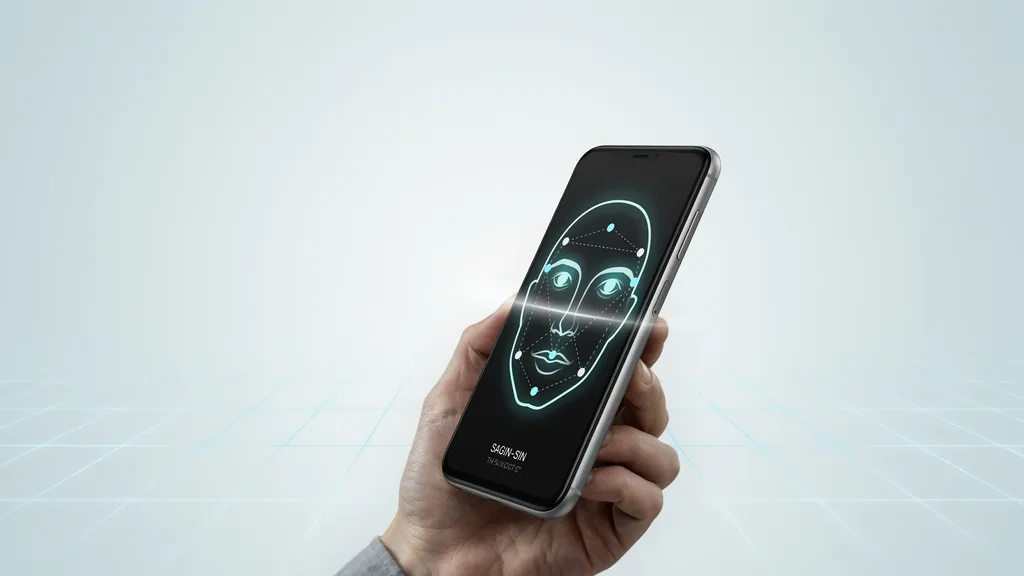
<p>The line between hobbyist microcontrollers and everyday smartphones is blurring faster <a href="/article/why-india-s-middle-class-is-more-stressed-than-ever" title="Why India’s Middle Class Is More Stressed Than Ever" class="internal-link">than ever</a>. A recent <b>Google News</b> snippet highlighted a Hackaday project where an AI model running on an ESP32 board sends commands to an iPhone, opening apps, toggling settings, and even drafting messages. While the original demo was a proof‑of‑concept, the underlying idea opens a world of possibilities for makers, developers, and power users who want to extend their phone’s capabilities without jailbreaking or relying on costly proprietary accessories.</p>
<p>In this guide we break down the concept into digestible steps, explore the hardware and software choices that work best in <a href="/article/health-fitness-in-india-2026-the-complete-guide-to-living-stronger-longer-and-smarter" title="Health & Fitness in India 2026: The Complete Guide to Living Stronger, Longer, and Smarter" class="internal-link">2026</a>, and give you actionable advice to build your own AI‑driven iPhone controller. Whether you’re a seasoned embedded engineer or a curious iPhone owner looking to automate daily routines, you’ll find practical tips, security considerations, and ideas for real‑world applications.</p>
<h2>Why the ESP32 Makes a Perfect AI Bridge</h2>
<p>The ESP32 is a low‑cost, Wi‑Fi and Bluetooth‑enabled System‑on‑Chip that has become the darling of the maker community. Its dual‑core processor can run lightweight machine‑learning models thanks to frameworks like TensorFlow Lite for Microcontrollers, and its built‑in Bluetooth Classic and BLE stacks let it communicate natively with iOS devices.</p>
Advertisement
Loading partner content...
<ul>
<li><b>Affordability:</b> A single ESP32 module costs under $5 in bulk, making experimentation cheap.</li>
<li><b>Processing power:</b> 240 MHz dual‑core Xtensa cores with 520 KB SRAM are sufficient for tiny‑ML inference.</li>
<li><b>Connectivity:</b> Simultaneous Wi‑Fi (for OTA updates) and Bluetooth (for iPhone linking) eliminate the need for extra radios.</li>
<li><b>Community support:</b> Thousands of tutorials, libraries, and example projects reduce the learning curve.</li>
</ul>
<p>When paired with a modest AI model—such as a keyword‑spotting network or a gesture classifier—the ESP32 can interpret voice commands, sensor data, or even computer‑vision cues and translate them into Bluetooth HID or custom BLE characteristics that the iPhone understands.</p>
<h2>Choosing the Right AI Approach for iPhone Control</h2>
<p>Not every AI model needs to run on the phone itself. Offloading inference to the ESP32 saves battery life and keeps sensitive data local. Below are three proven <a href="/article/cold-email-outreach-strategies-that-convert-in-2026" title="Cold Email Outreach Strategies That Convert in 2026" class="internal-link">strategies that</a> work well in 2026.</p>
<ol>
<li><b>Voice‑Activated Commands:</b> Train a small keyword‑spotting model (e.g., “Hey Phone”) on the ESP32. When detected, the board sends a BLE notification that triggers a Shortcut on the iPhone.</li>
<li><b>Gesture‑Based Triggers:</b> Use an IMU (accelerometer + gyroscope) attached to the ESP32 to detect shakes, tilts, or specific motion patterns. Each pattern maps to a predefined action like “open camera” or “toggle flashlight”.</li>
<li><b>Computer‑Vision via External Camera:</b> Pair the ESP32 with a low‑resolution camera module (e.g., ESP32‑CAM). A tiny object‑detection model can recognize a QR code or a colored card and launch the corresponding app.</li>
</ol>
Advertisement
Loading partner content...
<p>Each method has trade‑offs in complexity, latency, and power consumption. Voice control offers hands‑free convenience but requires a good microphone and noise‑filtering. Gesture control is simple to implement but may suffer from false positives. Vision‑based triggers give the richest context but need additional hardware and careful lighting.</p>
<h2>Hardware Setup: What You’ll Need</h2>
<p>Building a functional prototype doesn’t require a lab full of gear. Here’s a concise bill of materials (BOM) that keeps costs under $20 while leaving room for expansion.</p>
<table>
<thead>
<tr>
<th>Component</th>
<th>Suggested Model (2026)</th>
<th>Approx. Cost (USD)</th>
<th>Notes</th>
</tr>
</thead>
<tbody>
<tr>
<td>ESP32 Development Board</td>
<td>ESP32‑DevKitC V4</td>
<td>$6</td>
<td>Includes USB‑C for power and programming.</td>
</tr>
<tr>
<td>Microphone (for voice)</td>
<td>INMP441 MEMS Mic</td>
<td>$2</td>
<td>I2S output, low power.</td>
</tr>
<tr>
<td>IMU (for gestures)</td>
<td>MPU‑6050</td>
<td>$1.50</td>
<td>6‑DOF, I2C interface.</td>
</tr>
<tr>
<td>Camera Module (optional)</td>
<td>ESP32‑CAM</td>
<td>$7</td>
<td>Includes OV2640 sensor and microSD slot.</td>
</tr>
<tr>
<td>Battery (Li‑Po 500 mAh)</td>
<td>Any 3.7 V cell</td>
<td>$3</td>
<td>Add a TP4056 charger for safe recharging.</td>
</tr>
<tr>
<td>Enclosure & Misc.</td>
<td>3D‑printed case, wires, connectors</td>
<td>$1.50</td>
<td>Optional but improves durability.</td>
</tr>
</tbody>
</table>
Advertisement
Loading partner content...
<p>If you only need voice control, you can skip the IMU and camera. Conversely, a gesture‑only build can omit the microphone. The ESP32‑CAM doubles as a Wi‑Fi bridge for OTA firmware updates, which is handy when you iterate on AI models.</p>
<h2>Software Stack: From Model Training to iPhone Interaction</h2>
<p>The software side consists of three layers: (1) model preparation, (2) ESP32 firmware, and (3) iPhone side automation. Below we outline each step with practical commands and tools that are current as of late 2026.</p>
<h3>1. Preparing a TinyML Model</h3>
<p>Use <b>TensorFlow Lite for Microcontrollers</b> or <b>Edge Impulse</b> to train and convert your model. Edge Impulse offers a web‑based UI that handles data collection, augmentation, and automatic conversion to a .tflite file optimized for the ESP32.</p>
Advertisement
Loading partner content...
<ul>
<li>Collect at least 50 samples per class (e.g., “phone”, “silent”, “camera”).</li>
<li>Apply a low‑pass filter to microphone data to reduce ambient noise.</li>
<li>Set the model size target to <b>20 KB</b> to ensure it fits comfortably in ESP32 RAM.</li>
<li>Export as a C++ array (<code>model_data[]</code>) that can be flashed directly.</li>
</ul>
<blockquote>
<p>“The key to successful TinyML deployment is not raw accuracy but consistent inference latency under 50 ms. Anything slower feels laggy to the user and drains the battery.” – <i>Dr. Meera Patel, Embedded AI Lead, IIT Bombay</i></p>
</blockquote>
<h3>2. Flashing the ESP32 Firmware</h3>
Advertisement
Loading partner content...
<p>Arduino‑IDE 2.x or PlatformIO works well. Install the <code>ESP32 Arduino</code> board package, then include the TensorFlow Lite for Microcontrollers library. A minimal sketch looks like this:</p>
<pre>
#include <TensorFlowLite.h>
#include "model_data.h"
void setup() {
Serial.begin(115200);
// Initialize BLE as a HID keyboard or custom service
BLEDevice::init("AI‑ESP32");
// … BLE setup …
}
void loop() {
// Capture audio frame, run interpreter
TfLiteStatus invoke_status = interpreter->Invoke();
if (invoke_status == kTfLiteOk) {
float* output = interpreter->output(0)->data.f;
// Check confidence > 0.8 for a command
if (output[command_index] > 0.8) {
sendBLECommand(command_index);
}
}
delay(10); // controls inference rate
}
</pre>
<p>Replace <code>sendBLECommand</code> with the appropriate BLE characteristic write that your iPhone app is listening for.</p>
Advertisement
Loading partner content...
<h3>3. iPhone Side: Using Shortcuts and BLE Listener Apps</h3>
<p>iOS does not expose raw BLE access to ordinary apps without special entitlements, but you can bridge the gap in two ways:</p>
<ol>
<li><b>Shortcuts + Bluetooth Accessory:</b> Pair the ESP32 as a “Bluetooth Keyboard”. When it sends a predefined key sequence (e.g., <code>Cmd+Shift+C</code>), a Shortcut listening for that trigger launches the desired action.</li>
<li><b>Third‑Party BLE Listener:</b> Apps like <code>nRF Connect</code> (with a custom action plugin) or <code>BLEduino</code> let you map incoming BLE notifications to URL schemes (<code>shortcuts://run-shortcut?name=OpenCamera</code>) or to <code>x‑callback‑url</code> commands.</li>
</ol>
<p>For a more polished experience, consider building a lightweight SwiftUI app using the ExternalAccessory framework (requires a free Apple Developer account). This gives you full control over BLE packets and <a href="/article/google-now-lets-you-sign-in-to-your-account-using-a-selfie-video-what-indian-users-need-to-know" title="Google Now Lets You Sign In to Your Account Using a Selfie Video – What Indian Users Need to Know" class="internal-link">lets you</a> display feedback on the phone screen.</p>
Advertisement
Loading partner content...
<h2>Security and Privacy: Keeping Your iPhone Safe</h2>
<p>Embedding AI on a cheap microcontroller introduces new attack surfaces. Follow these best practices to mitigate risk.</p>
<ul>
<li><b>Encrypt BLE Traffic:</b> Use Bluetooth LE Secure Connections (available on ESP32 SDK v5.0+) to encrypt all data exchanged with the iPhone.</li>
<li><b>Authenticate Commands:</b> Include a simple HMAC (SHA‑256) signature in each packet; the iPhone verifies it before acting.</li>
<li><b>Limit Permissions:</b> If you emulate a keyboard, restrict the ESP32 to only send the specific key combos you need—avoid full‑keyboard access.</li>
<li><b>OTA Firmware Signing:</b> When updating models over Wi‑Fi, sign the binary with a private key and verify the signature on the ESP32 before flashing.</li>
<li><b>Physical Security:</b> Enclose the board in a tamper‑evident case; an attacker who can reflash the ESP32 could inject malicious commands.</li>
</ul>
<p>Remember that the ESP32 itself does not have a secure enclave, so treat any stored keys as semi‑public. For high‑security applications (e.g., controlling smart locks), consider adding a separate secure element like the ATECC608A.</p>
Advertisement
Loading partner content...
<h2>Real‑World Use Cases to Inspire Your Build</h2>
<p>Beyond the novelty of voice‑controlling your phone, the ESP32‑AI combo can solve everyday problems.</p>
<table>
<thead>
<tr>
<th>Scenario</th>
<th>AI Input</th>
<th>iPhone Action</th>
<th>Benefit</th>
</tr>
</thead>
<tbody>
<tr>
<td>Hands‑Free Cooking</td>
<td>Keyword “Timer” + voice count</td>
<td>Start/stop a timer in the Clock app</td>
<td>Keep your hands clean while following a recipe</td>
</tr>
<tr>
<td>Accessibility Aid</td>
<td>Blink detection via ESP32‑CAM</td>
<td>Trigger VoiceOver or send an SOS message</td>
<td>Assist users with limited motor control</td>
</tr>
<tr>
<td>Fitness Companion</td>
<td>IMU detects jumping jacks</td>
<td>Log a workout in the Health app</td>
<td>Automatic rep counting without wearing a watch</td>
</tr>
<tr>
<td>Smart Home Trigger</td>
<td>Voice command “Lights On”</td>
<td>Run a HomeKit shortcut to set scenes</td>
<td>Centralize control via a single cheap device</td>
</tr>
<tr>
<td>Car‑Mode</td>
<td>Detect driving motion via IMU</td>
<td>Enable Do Not Disturb and launch Maps</td>
<td>Reduce distractions while keeping navigation handy</td>
</tr>
</tbody>
</table>
<p>Each of these examples can be prototyped in a weekend. Start with the simplest voice‑triggered shortcut, then layer additional sensors as you become comfortable with the firmware and BLE flow.</p>
<h2>Troubleshooting Common Pitfalls</h2>
Advertisement
Loading partner content...
<p>Even seasoned makers hit snags. Below is a checklist of frequent issues and how to resolve them.</p>
<ul>
<li><b>Model Won’t Fit:</b> Use <b>quantization‑aware training</b> to shrink weights to 8‑bit integers. Edge Impulse does this automatically.</li>
<li><b>BLE Connection Drops:</b> Ensure you’re not exceeding the maximum ATT_MTU (default 23 bytes). Split larger payloads into multiple notifications or use the “Write Without Response” characteristic.</li>
<li><b>False Positives from Noise:</b> Implement a simple moving‑average filter on the classifier output and require two consecutive high‑confidence frames before acting.</li>
<li><b>iPhone Doesn’t Recognize ESP32 as Keyboard:</b> In the ESP32 BLE stack, set the device appearance to <code>0x03C0</code> (HID Keyboard) and include the proper HID report map.</li>
<li><b>Battery Drains Too Fast:</b> Put the ESP32 into deep sleep between inferences; wake on a GPIO trigger from the microphone’s DC offset comparator.</li>
<li><b>OTA Update Fails:</b> Verify that the ESP32’s partition table includes an OTA slot of sufficient size (at least 1 MB). Use the <code>esp_</b></p></ul></li>